Like Reactions System
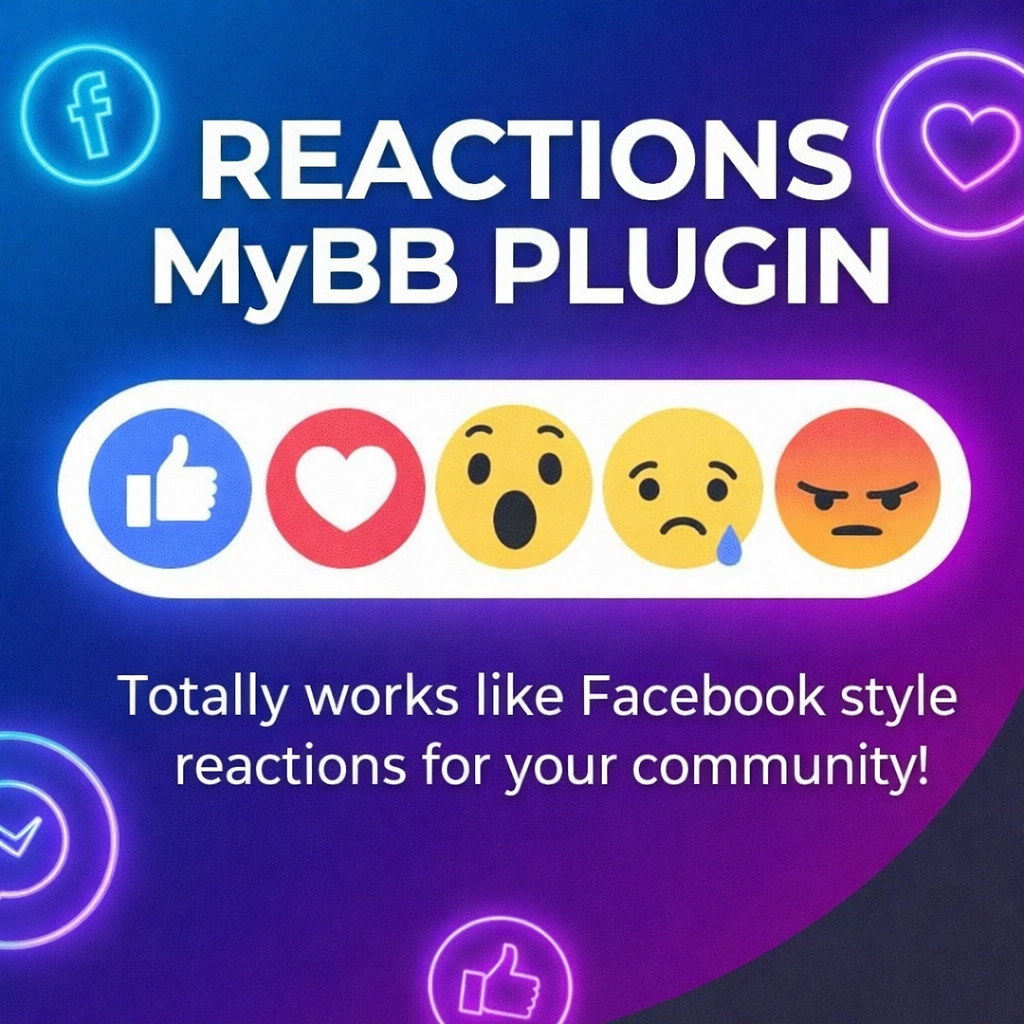
Adds Facebook style advanced reaction system to MyBB posts with hover tooltips and AJAX functionality.
Project Details
Like Reactions System Plugin
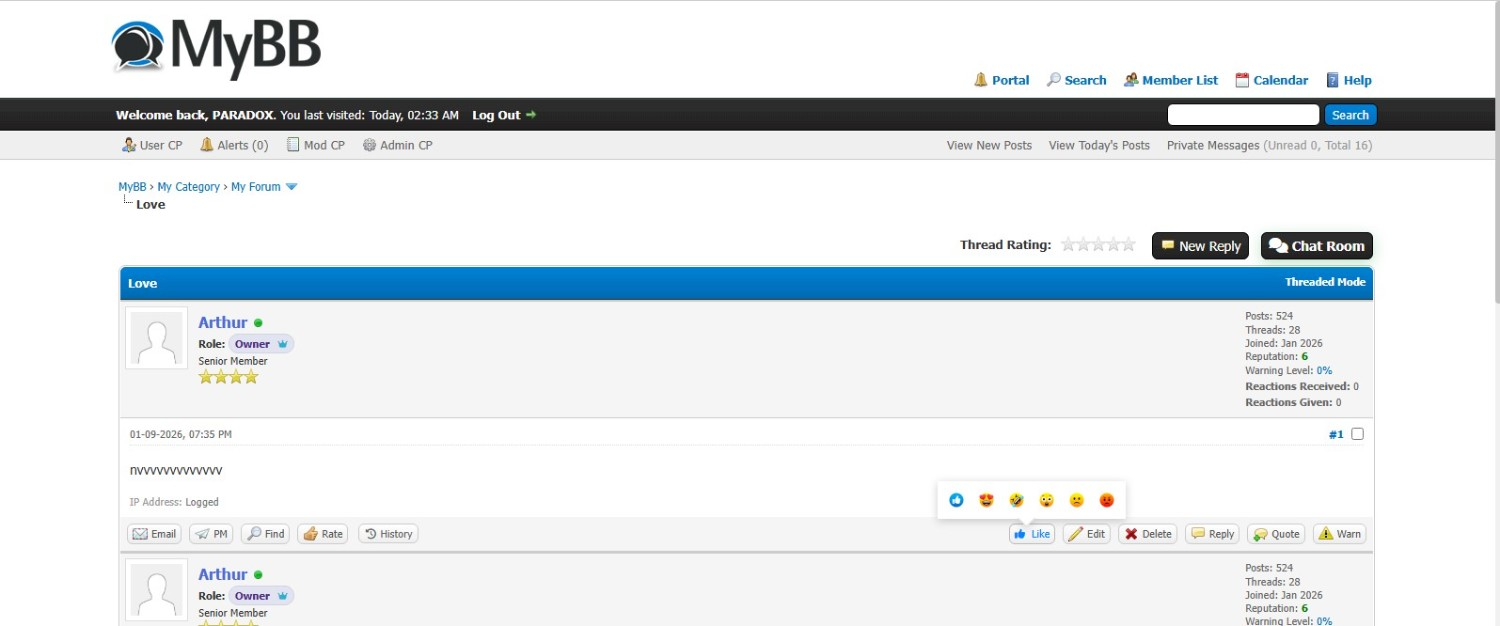
I built this reactions plugin that lets users react to posts with different emoji-style reactions instead of just the plain old "Like" button it will add facebook style reactions to the posts.
Main Features
1. Multiple Reaction Types
Users can react with more than just a thumbs up. The plugin comes with 6 default reactions out of the box:
-  Like (+1 point)
- 😍 Love (+2 points)
-
 Love (+1 point)
- 🤣 Haha (+1 point)
- 😮 Wow (0 points - neutral)
- 🙁 Sad (0 points - neutral)
- 😡 Angry (-1 point - negative)
-
 Disike (+1 point)
Admins can add custom reactions, change the point values, upload custom images, or disable ones they don't want.
2. Reaction Scoring System
Every reaction gives points to the post author. The plugin tracks:
- Reaction Score / Reactions Received - Total reactions received from all the posts
- Reactions Given - How many reactions you've handed out
- Reaction Points - Total points received from all the reactions he received just like reputation points
This creates a simple reputation system without being too complicated.
3. Admin "Give Points" Feature
Admins can manually give reaction points to users through the ACP. You can:
- Set how many reactions to create (the count)
- Set the total point value
- Use "Shuffle" mode to randomize which reaction images appear
- Choose between positive-only or mixed (positive + negative + neutral) reactions
4. AJAX Everything
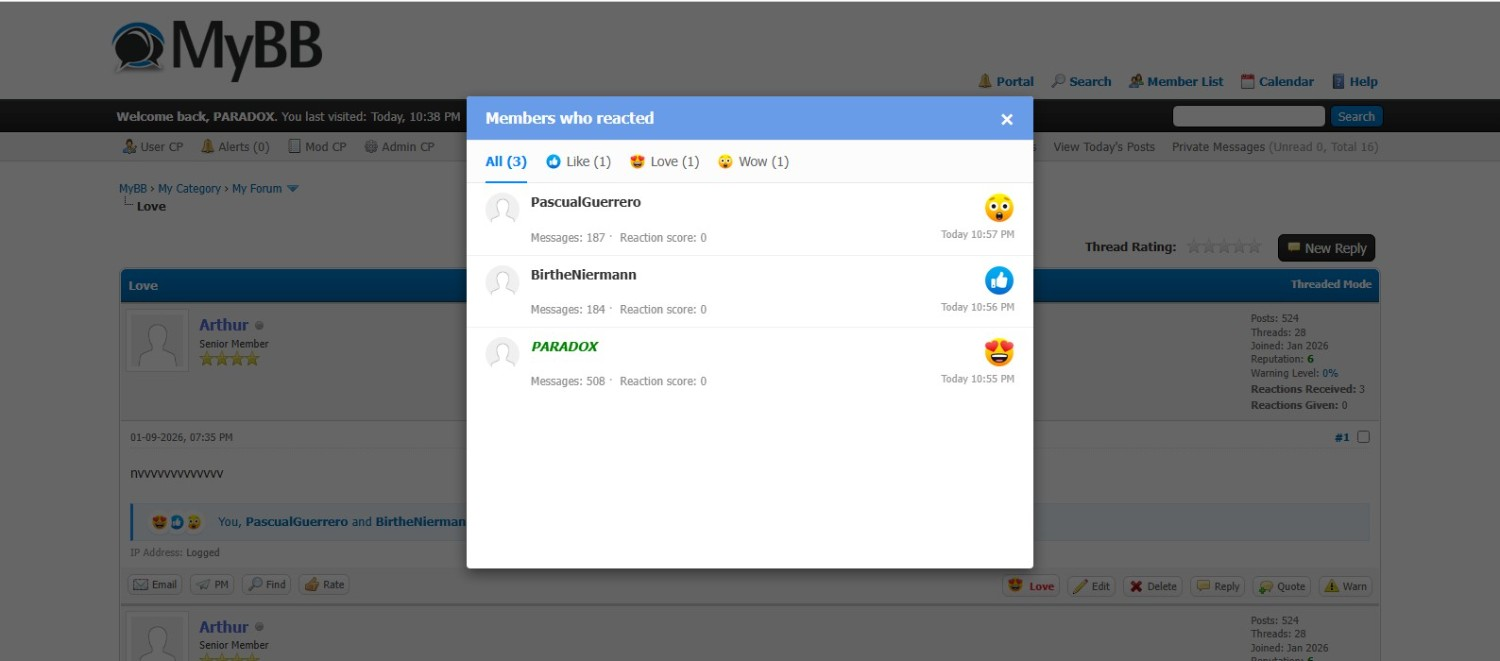
Reactions load without page refresh. Click a reaction button, pick your reaction, done. The overlay shows who reacted with what, and you can browse through different reaction types using tabs.
5. User Profile Integration
Member profiles show:
- Total reaction score
- Breakdown of which reactions they received most
- History of reactions given/received (with pagination)
- Quick stats in the postbit
6. MyAlerts Support
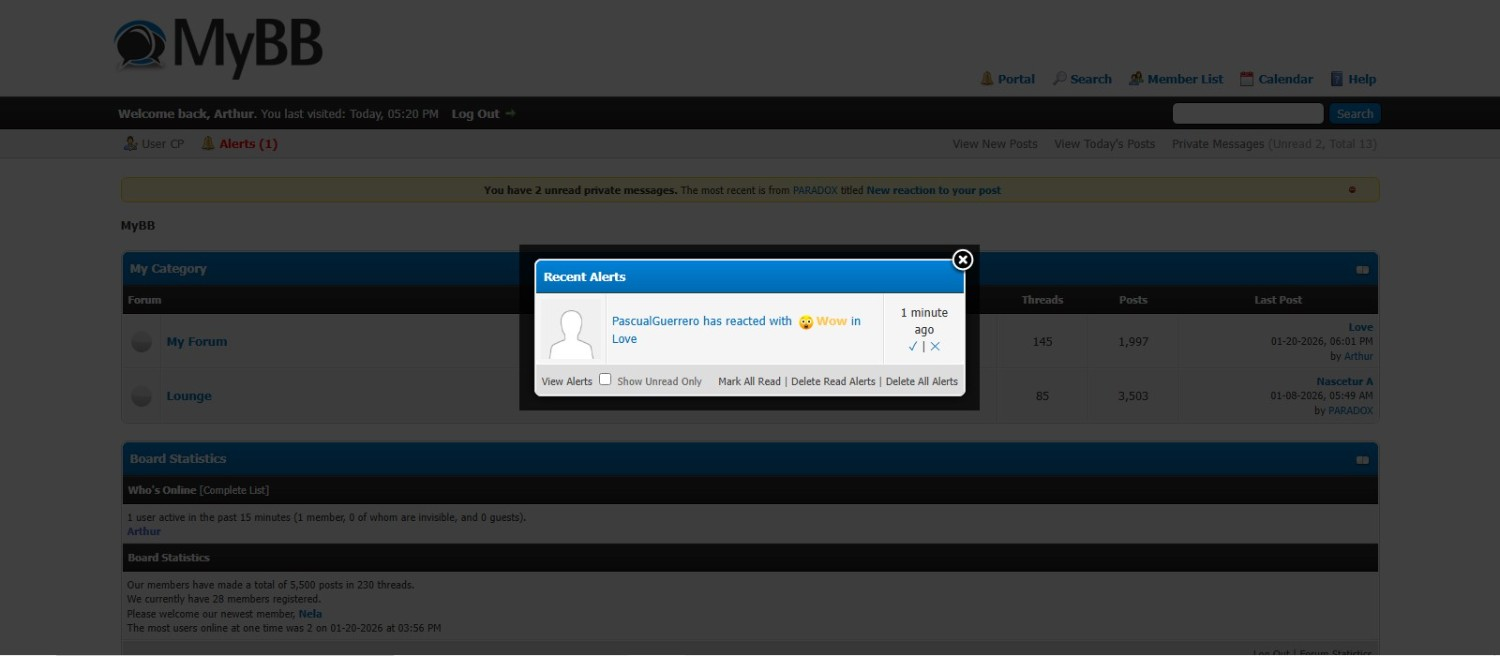
If you have MyAlerts installed, users get notifications when someone reacts to their posts. Works seamlessly with the alert system.
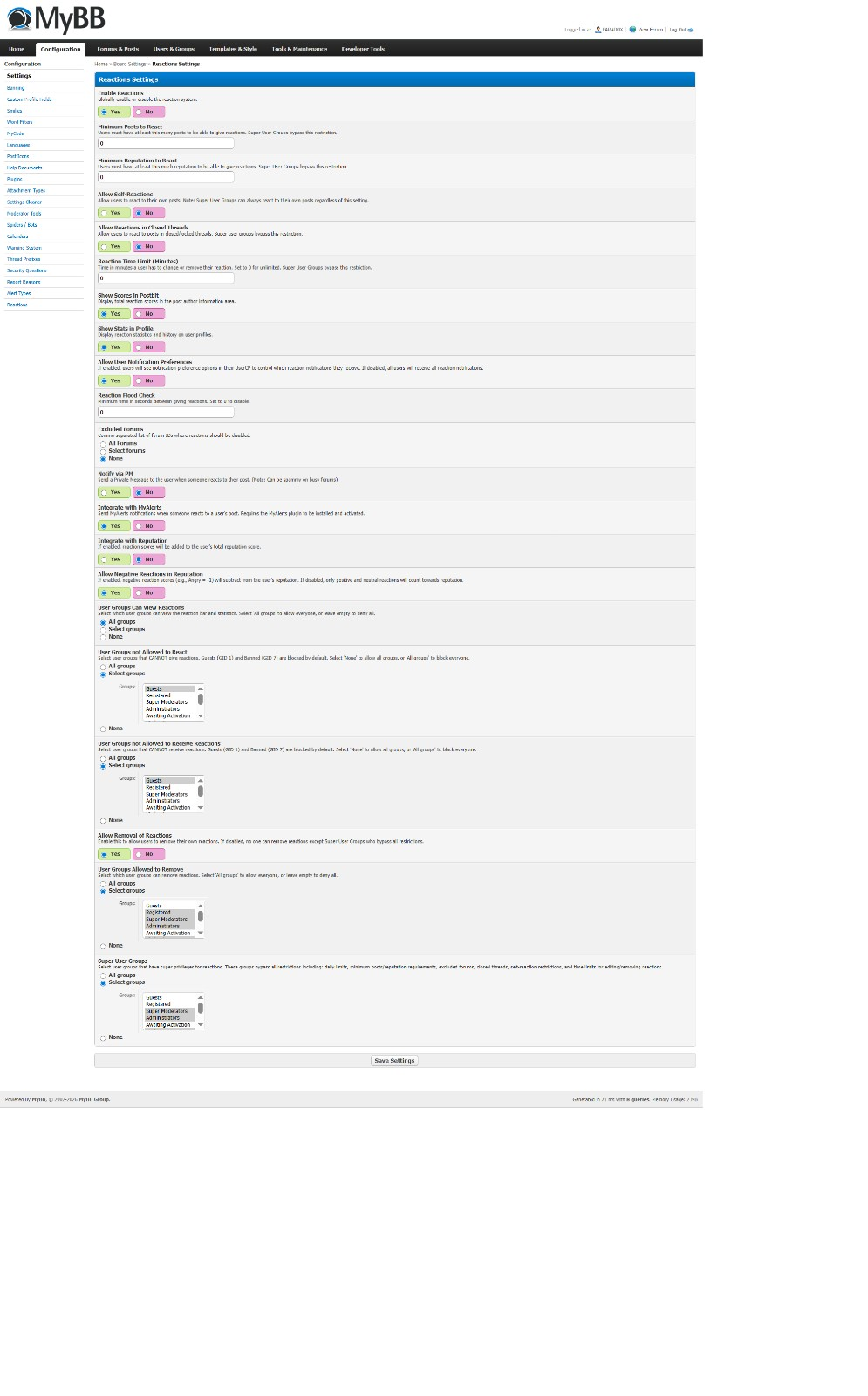
7. Permission Controls
You can set which usergroups can:
- Give reactions
- Receive reactions
- View reactions
- Remove their own reactions
- Daily reaction limits per group
8. Per-Forum Settings
Disable reactions in specific forums if you want. Some discussion areas might not need them.
9. Sprite Mode
For the CSS-savvy folks, reactions support sprite sheets so you can use a single image file with multiple reaction icons.
How It Works
Like (+1 point)
- 😍 Love (+2 points)
- Love (+1 point)
- 🤣 Haha (+1 point)
- 😮 Wow (0 points - neutral)
- 🙁 Sad (0 points - neutral)
- 😡 Angry (-1 point - negative)
- Disike (+1 point)
Admins can add custom reactions, change the point values, upload custom images, or disable ones they don't want.
2. Reaction Scoring System
Every reaction gives points to the post author. The plugin tracks:
- Reaction Score / Reactions Received - Total reactions received from all the posts
- Reactions Given - How many reactions you've handed out
- Reaction Points - Total points received from all the reactions he received just like reputation points
This creates a simple reputation system without being too complicated.
3. Admin "Give Points" Feature
Admins can manually give reaction points to users through the ACP. You can:
- Set how many reactions to create (the count)
- Set the total point value
- Use "Shuffle" mode to randomize which reaction images appear
- Choose between positive-only or mixed (positive + negative + neutral) reactions
4. AJAX Everything
Reactions load without page refresh. Click a reaction button, pick your reaction, done. The overlay shows who reacted with what, and you can browse through different reaction types using tabs.
5. User Profile Integration
Member profiles show:
- Total reaction score
- Breakdown of which reactions they received most
- History of reactions given/received (with pagination)
- Quick stats in the postbit
6. MyAlerts Support
If you have MyAlerts installed, users get notifications when someone reacts to their posts. Works seamlessly with the alert system.
7. Permission Controls
You can set which usergroups can:
- Give reactions
- Receive reactions
- View reactions
- Remove their own reactions
- Daily reaction limits per group
8. Per-Forum Settings
Disable reactions in specific forums if you want. Some discussion areas might not need them.
9. Sprite Mode
For the CSS-savvy folks, reactions support sprite sheets so you can use a single image file with multiple reaction icons.
How It Works
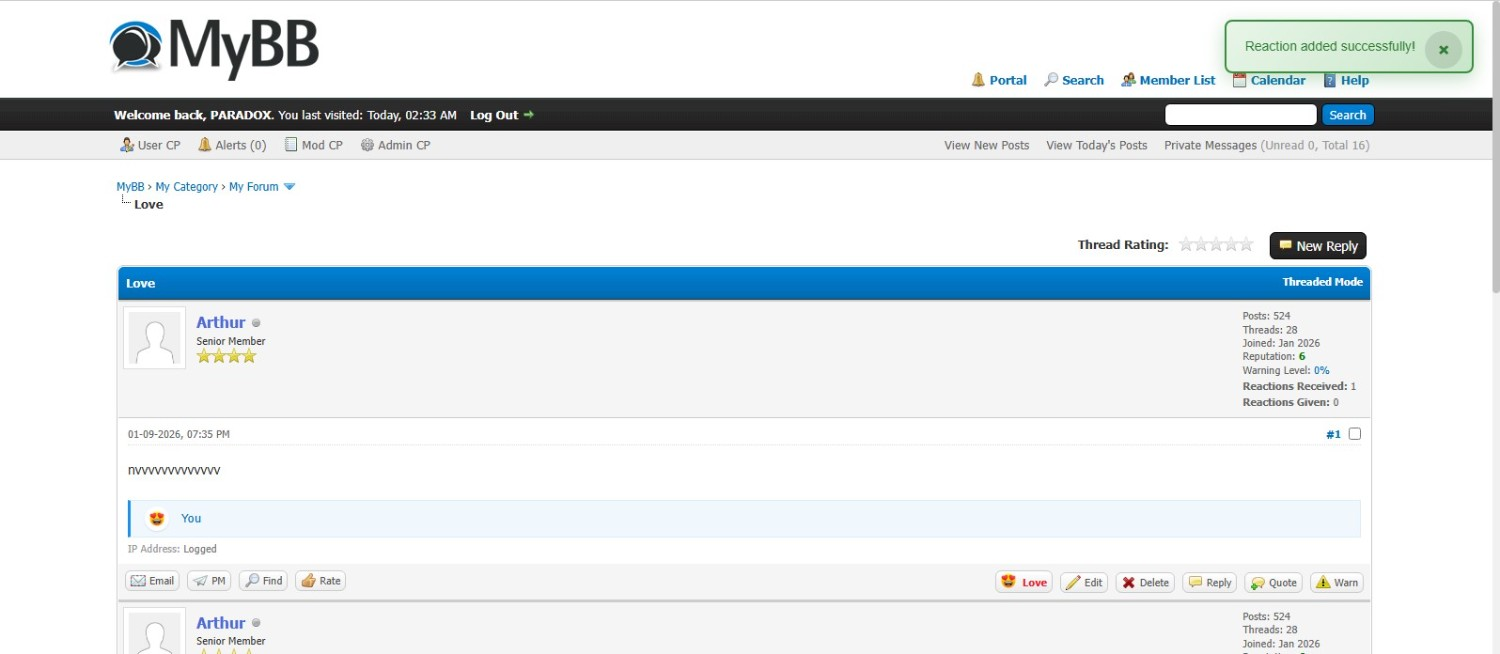
When a user clicks the reaction button on a post, they see a popup with available reactions. Click one, it gets added instantly. The reaction count updates in real-time. If they click the same reaction again, it removes it (toggle on/off).
The overlay shows a breakdown of who reacted with what. Click on a reaction tab to filter by type. Everything's paginated so it doesn't get messy with lots of reactions.
Documentation:- https://mybb.epizy.com/inc/plugins/React...guide.html
Requirements
- MyBB 1.8.x
- PluginLibrary plugin
- PHP 7.0+
Screenshots
Let me know if you run into any issues or have feature suggestions. Been using this on my own forum for a few months and it's been pretty solid.Developed by PARADOX
Previews