DB Studio
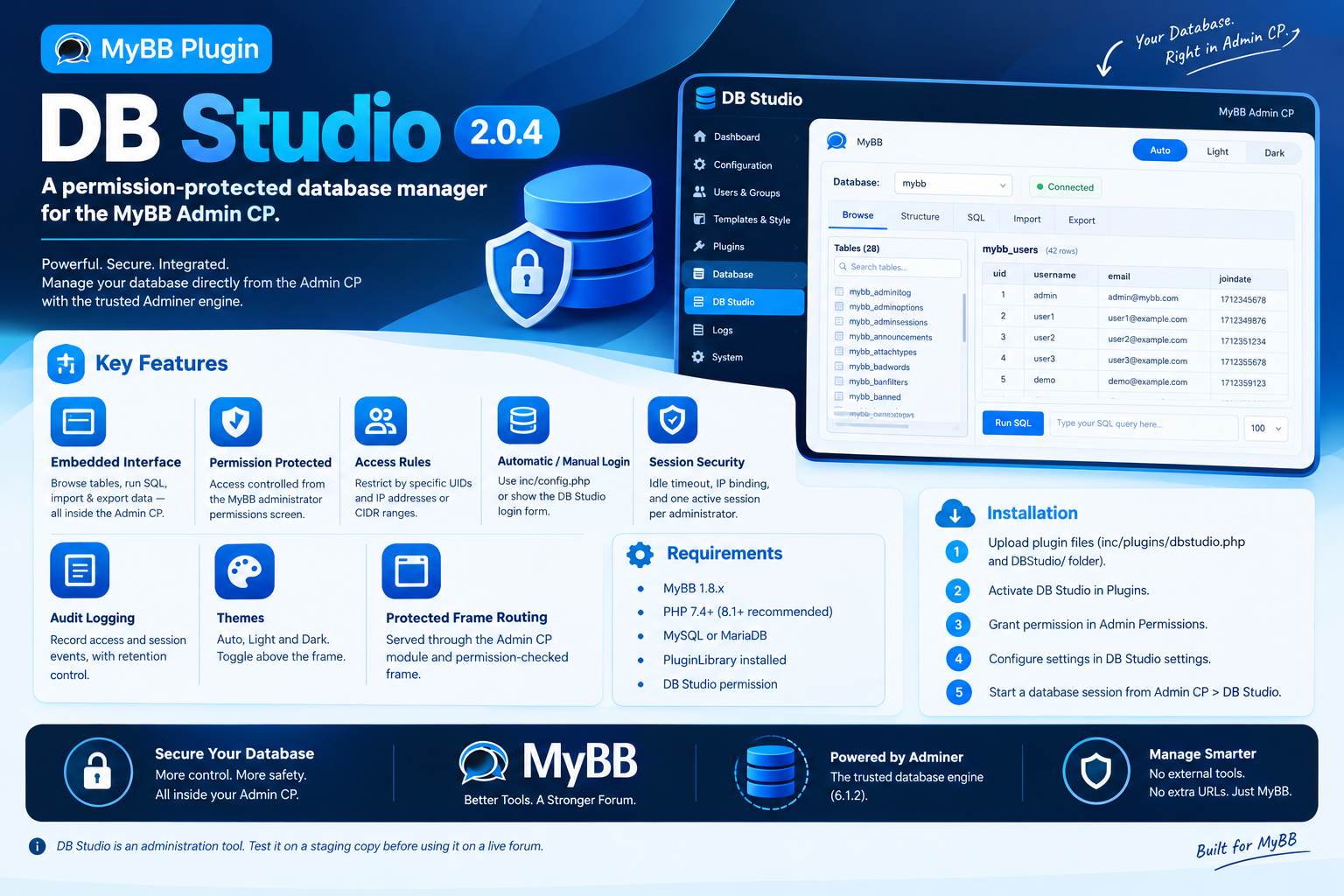
DB Studio gives your MyBB Admin CP a secure, permission-protected database manager with automatic login, session controls, audit logging, and Auto/Light/Dark themes.
Project Details
DB Studio 1.0.0
A permission-protected database manager for the MyBB Admin CP.
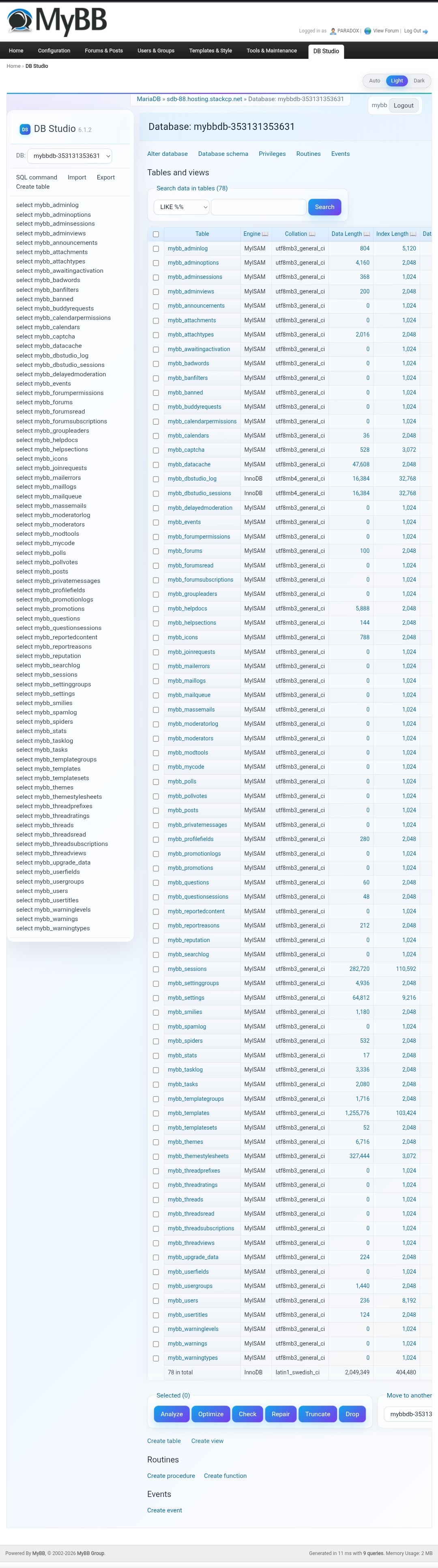
DB Studio adds a complete database management interface to your Admin CP using the Adminer 6.1.2 engine. It is embedded directly inside the ACP, protected by MyBB administrator permissions, and does not expose a separate database tool URL.
Features
Requirements
Installation
Configuration
Security Notes
DB Studio is an administration tool. Test it on a staging copy before using it on a live forum.
Features
- Embedded database interface — browse tables, inspect schemas, run SQL queries, import and export data without leaving the Admin CP.
- Admin CP permission protection — access is controlled from the MyBB administrator permissions screen.
- Additional access rules — optionally restrict access to specific administrator UIDs and IP addresses or CIDR ranges.
- Automatic or manual database login — use the credentials from inc/config.php automatically, or show the DB Studio login form.
- Session security — idle timeout, IP binding, and one active session per administrator.
- Audit logging — record access and session events, with configurable log retention.
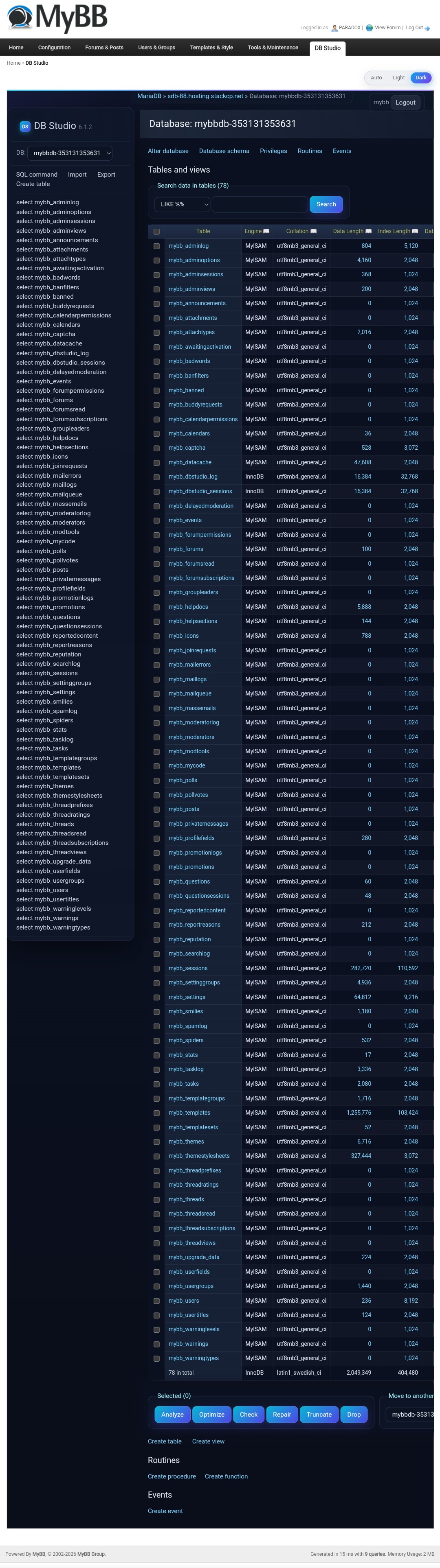
- Auto, Light and Dark themes — the theme toggle sits above the database frame; Auto follows the browser preference.
- Protected frame routing — DB Studio is served through the Admin CP module and rendered inside a permission-checked frame.
Requirements
- MyBB 1.8.x
- PHP 7.4 or newer (PHP 8.1+ recommended)
- MySQL or MariaDB
- PluginLibrary installed at inc/plugins/pluginlibrary.php
- An administrator account with the DB Studio permission
Installation
- Upload inc/plugins/dbstudio.php and the inc/plugins/DBStudio/ folder, keeping the existing folder structure.
- Go to Admin CP > Plugins and activate DB Studio.
- Open Admin CP > Users & Groups > Admin Permissions and grant the DB Studio permission to the administrator groups or accounts that need access.
- Open Admin CP > Configuration > Settings > DB Studio and adjust the options.
- Open Admin CP > DB Studio and click the button to start a database manager session.
Configuration
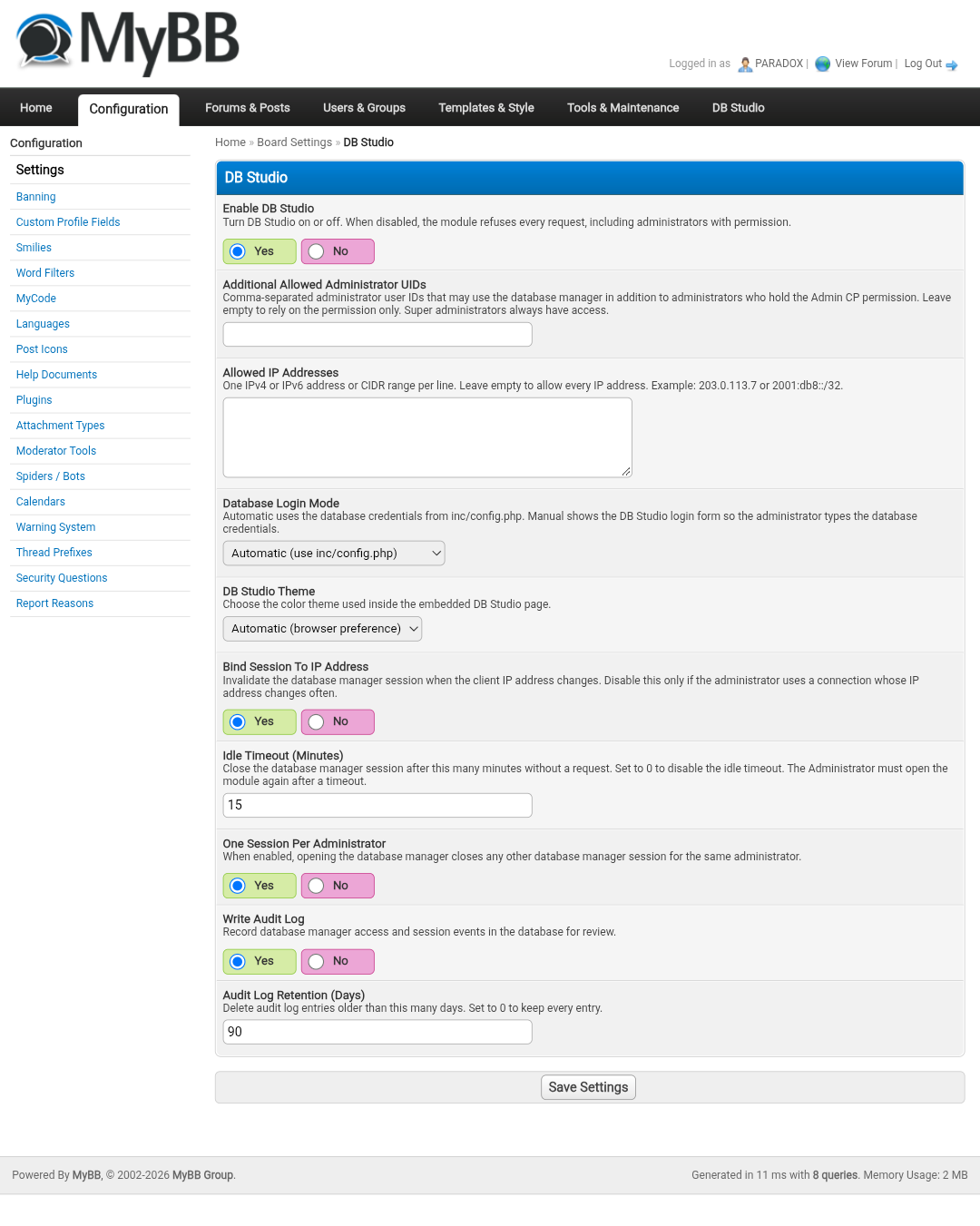
- Enable DB Studio — turn the module on or off.
- Additional Allowed Administrator UIDs — extra administrator accounts allowed to use DB Studio. Super administrators always have access.
- Allowed IP Addresses — one IPv4/IPv6 address or CIDR range per line. Leave empty to allow all IPs.
- Database Login Mode — Automatic uses inc/config.php; Manual shows the database login form.
- Theme — Auto, Light or Dark. The toggle above the frame changes it per administrator.
- Bind Session To IP Address — invalidates the DB Studio session if the client IP changes.
- Idle Timeout — default 15 minutes. Set 0 to disable.
- One Session Per Administrator — closes older DB Studio sessions for the same account.
- Audit Log — record access and session events.
- Audit Log Retention — default 90 days. Set 0 to keep all entries.
Security Notes
- DB Studio is protected by the MyBB Admin CP permission, optional UID/IP rules, and its own session layer.
- Use HTTPS on the Admin CP. Automatic login reads database credentials from inc/config.php; protect that file with correct server permissions.
- Keep the idle timeout and IP binding enabled unless your connection changes IP addresses frequently.
- DB Studio can modify or delete database data. Always keep independent database backups.
- Disable or uninstall the plugin when it is not needed.
- Plugin: PARAD0X
- Database engine: Adminer 6.1.2
- Plugin website: https://mybb.epizy.com
- Author profile: community.mybb.com/user-134311.html
DB Studio is an administration tool. Test it on a staging copy before using it on a live forum.
Developed by PARADOX
Previews